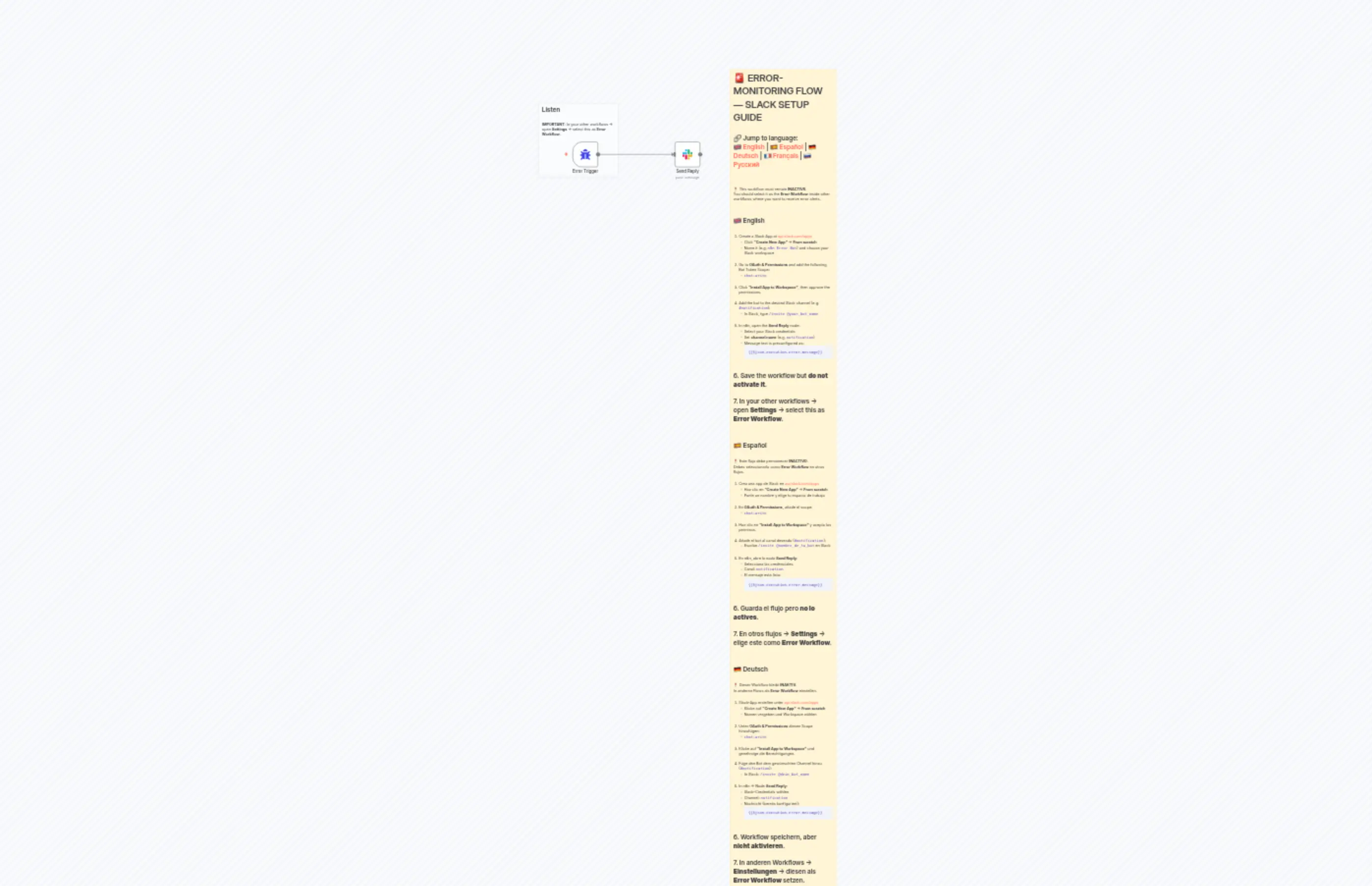
ErrorFlow SlackAlarm
説明
Categories
🚀 DevOps
Nodes Used
n8n-nodes-base.slackn8n-nodes-base.stickyNoten8n-nodes-base.stickyNoten8n-nodes-base.errorTrigger
Price無料
Views0
最終更新11/28/2025
workflow.json
{
  "id": "5qAvHvNoUMIxsFG7",
  "meta": {
    "instanceId": "4933ec690637fb3b400e75b72209b423e4ae85e2088079d2359ab06d8bdb7716",
    "templateCredsSetupCompleted": true
  },
  "name": "ErrorFlow SlackAlarm",
  "tags": [],
  "nodes": [
    {
      "id": "f809d48f-3378-4559-a928-8b9719b65706",
      "name": "Error Trigger",
      "type": "n8n-nodes-base.errorTrigger",
      "position": [
        0,
        0
      ],
      "parameters": {},
      "typeVersion": 1
    },
    {
      "id": "d31eb570-9fd9-459d-b7b0-88c7b13d569c",
      "name": "SETUP INSTRUCTIONS",
      "type": "n8n-nodes-base.stickyNote",
      "position": [
        600,
        -280
      ],
      "parameters": {
        "width": 400,
        "height": 3200,
        "content": "# 🚨 ERROR-MONITORING FLOW — SLACK SETUP GUIDE  \n\n🔗 Jump to language:  \n🇬🇧 [English](#-english) | 🇪🇸 [Español](#-español) | 🇩🇪 [Deutsch](#-deutsch) | 🇫🇷 [Français](#-français) | 🇷🇺 [Русский](#-русский)  \n\n---\n\n> ❗ This workflow must remain **INACTIVE**.  \n> You should select it as the **Error Workflow** inside other workflows where you want to receive error alerts.\n\n---\n\n## 🇬🇧 English\n\n1. Create a Slack App at [api.slack.com/apps](https://api.slack.com/apps)  \n   - Click **\"Create New App\"** → **From scratch**  \n   - Name it (e.g. `n8n Error Bot`) and choose your Slack workspace  \n\n2. Go to **OAuth & Permissions** and add the following Bot Token Scope:  \n   - `chat:write`\n\n3. Click **\"Install App to Workspace\"**, then approve the permissions.\n\n4. Add the bot to the desired Slack channel (e.g. `#notification`):  \n   - In Slack, type `/invite @your_bot_name`\n\n5. In n8n, open the **Send Reply** node:  \n   - Select your Slack credentials  \n   - Set **channel name** (e.g. `notification`)  \n   - Message text is preconfigured as:  \n     ```\n     {{$json.execution.error.message}}\n     ```\n\n6. Save the workflow but **do not activate it**.\n\n7. In your other workflows → open **Settings** → select this as **Error Workflow**.\n\n---\n\n## 🇪🇸 Español\n\n> ❗ Este flujo debe permanecer **INACTIVO**.  \n> Debes seleccionarlo como **Error Workflow** en otros flujos.\n\n1. Crea una app de Slack en [api.slack.com/apps](https://api.slack.com/apps)  \n   - Haz clic en **\"Create New App\"** → **From scratch**  \n   - Ponle un nombre y elige tu espacio de trabajo  \n\n2. En **OAuth & Permissions**, añade el scope:  \n   - `chat:write`\n\n3. Haz clic en **\"Install App to Workspace\"** y acepta los permisos.\n\n4. Añade el bot al canal deseado (`#notification`):  \n   - Escribe `/invite @nombre_de_tu_bot` en Slack\n\n5. En n8n, abre la nodo **Send Reply**:  \n   - Selecciona las credenciales  \n   - Canal: `notification`  \n   - El mensaje está listo:  \n     ```\n     {{$json.execution.error.message}}\n     ```\n\n6. Guarda el flujo pero **no lo actives**.\n\n7. En otros flujos → **Settings** → elige este como **Error Workflow**.\n\n---\n\n## 🇩🇪 Deutsch\n\n> ❗ Dieser Workflow bleibt **INAKTIV**.  \n> In anderen Flows als **Error Workflow** einstellen.\n\n1. Slack-App erstellen unter [api.slack.com/apps](https://api.slack.com/apps)  \n   - Klicke auf **\"Create New App\"** → **From scratch**  \n   - Namen vergeben und Workspace wählen  \n\n2. Unter **OAuth & Permissions** diesen Scope hinzufügen:  \n   - `chat:write`\n\n3. Klicke auf **\"Install App to Workspace\"** und genehmige die Berechtigungen.\n\n4. Füge den Bot dem gewünschten Channel hinzu (`#notification`):  \n   - In Slack: `/invite @dein_bot_name`\n\n5. In n8n → Node **Send Reply**:  \n   - Slack-Credentials wählen  \n   - Channel: `notification`  \n   - Nachricht (bereits konfiguriert):  \n     ```\n     {{$json.execution.error.message}}\n     ```\n\n6. Workflow speichern, aber **nicht aktivieren**.\n\n7. In anderen Workflows → **Einstellungen** → diesen als **Error Workflow** setzen.\n\n---\n\n## 🇫🇷 Français\n\n> ❗ Ce flux reste **INACTIF**.  \n> À sélectionner comme **Error Workflow** dans d'autres workflows.\n\n1. Créez une application Slack sur [api.slack.com/apps](https://api.slack.com/apps)  \n   - Cliquez sur **\"Create New App\"** → **From scratch**  \n   - Nommez-la et choisissez l’espace de travail  \n\n2. Allez dans **OAuth & Permissions** et ajoutez :  \n   - `chat:write`\n\n3. Cliquez sur **\"Install App to Workspace\"** et autorisez les accès.\n\n4. Ajoutez le bot dans le canal (`#notification`) :  \n   - Tapez `/invite @nom_du_bot` dans Slack\n\n5. Dans n8n → nœud **Send Reply** :  \n   - Sélectionnez les identifiants Slack  \n   - Canal : `notification`  \n   - Message :  \n     ```\n     {{$json.execution.error.message}}\n     ```\n\n6. Sauvegardez ce workflow mais **ne l’activez pas**.\n\n7. Dans d'autres workflows → **Paramètres** → définissez ce flux comme **Error Workflow**.\n\n---\n\n## 🇷🇺 Русский\n\n> ❗ Этот workflow должен быть **НЕАКТИВНЫМ**.  \n> Его нужно выбрать в настройках других workflow как **Error Workflow**.\n\n1. Создайте Slack-приложение: [api.slack.com/apps](https://api.slack.com/apps)  \n   - Нажмите **\"Create New App\"** → **From scratch**  \n   - Назовите и выберите рабочее пространство  \n\n2. Перейдите в **OAuth & Permissions** и добавьте scope:  \n   - `chat:write`\n\n3. Нажмите **\"Install App to Workspace\"** и подтвердите права доступа.\n\n4. Добавьте бота в нужный канал (`#notification`):  \n   - В Slack напишите `/invite @имя_бота`\n\n5. В n8n → откройте ноду **Send Reply**:  \n   - Выберите Slack credentials  \n   - Укажите канал: `notification`  \n   - Текст сообщения по умолчанию:  \n     ```\n     {{$json.execution.error.message}}\n     ```\n\n6. Сохраните workflow, но **не активируйте его**.\n\n7. В других workflow → **Настройки** → выберите этот как **Error Workflow**."
      },
      "typeVersion": 1
    },
    {
      "id": "e8a1a463-6629-4c53-abff-e3c2ea1170eb",
      "name": "Send Reply",
      "type": "n8n-nodes-base.slack",
      "position": [
        380,
        0
      ],
      "webhookId": "f23b3a3c-b618-4d39-a5f0-4d85c65519af",
      "parameters": {
        "text": "=Error on WorkFlow: {{ $json.workflow.name }}\nMessage: {{ $json.execution.error.message }}\n\nlastNodeExecuted: {{ $json.execution.lastNodeExecuted }}",
        "select": "channel",
        "channelId": {
          "__rl": true,
          "mode": "name",
          "value": "notification"
        },
        "otherOptions": {
          "mrkdwn": true,
          "includeLinkToWorkflow": false
        }
      },
      "credentials": {
        "slackApi": {
          "id": "KoJaYWfDIpi5l6Dl",
          "name": "Slack account"
        }
      },
      "typeVersion": 2.3
    },
    {
      "id": "8c82a0ff-a24b-43b4-b94b-18db2f9f1745",
      "name": "Sticky Note",
      "type": "n8n-nodes-base.stickyNote",
      "position": [
        -120,
        -140
      ],
      "parameters": {
        "color": 7,
        "width": 300,
        "height": 280,
        "content": "## Listen\n\n**IMPORTANT**: In your other workflows → open **Settings** → select this as **Error Workflow**."
      },
      "typeVersion": 1
    }
  ],
  "active": false,
  "pinData": {},
  "settings": {
    "executionOrder": "v1"
  },
  "versionId": "765da38d-5ae8-46b9-902a-7e76c66c044e",
  "connections": {
    "Error Trigger": {
      "main": [
        [
          {
            "node": "Send Reply",
            "type": "main",
            "index": 0
          }
        ]
      ]
    }
  }
}