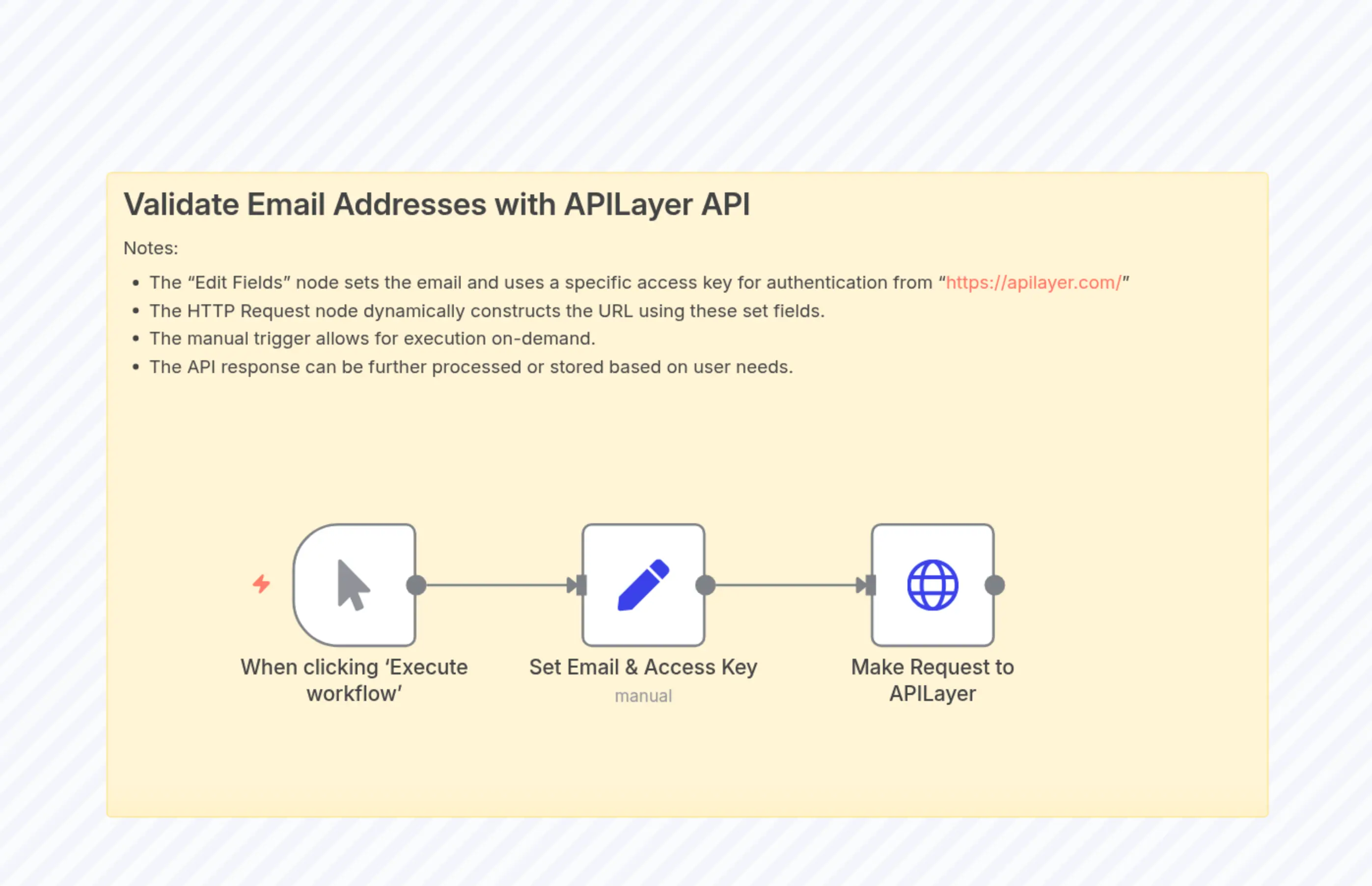
Validate Email Addresses with APILayer API
説明
Categories
⚙️ Automation
Nodes Used
n8n-nodes-base.setn8n-nodes-base.stickyNoten8n-nodes-base.httpRequestn8n-nodes-base.manualTrigger
Price無料
Views0
最終更新11/28/2025
workflow.json
{
  "id": "a45d1jkHh90Cr2bF",
  "meta": {
    "instanceId": "546be790303d737c735a8648874bae91a6b66b48cd2b10cbe4cbfb78039ceb03"
  },
  "name": "Validate Email Addresses with APILayer API",
  "tags": [],
  "nodes": [
    {
      "id": "e95f1b1c-1463-4538-b5db-b3e7de2439d7",
      "name": "When clicking ‘Execute workflow’",
      "type": "n8n-nodes-base.manualTrigger",
      "position": [
        140,
        280
      ],
      "parameters": {},
      "typeVersion": 1
    },
    {
      "id": "f0c4b220-4ea8-4091-88ad-3caf34d891b4",
      "name": "Sticky Note",
      "type": "n8n-nodes-base.stickyNote",
      "position": [
        0,
        20
      ],
      "parameters": {
        "width": 900,
        "height": 500,
        "content": "## Validate Email Addresses with APILayer API\nNotes:\n- The \"Edit Fields\" node sets the email and uses a specific access key for authentication from \"https://apilayer.com/\"\n- The HTTP Request node dynamically constructs the URL using these set fields.\n- The manual trigger allows for execution on-demand.\n- The API response can be further processed or stored based on user needs."
      },
      "typeVersion": 1
    },
    {
      "id": "a943df23-8465-44a4-b8c4-c7d2fcde6440",
      "name": "Set Email & Access Key",
      "type": "n8n-nodes-base.set",
      "position": [
        360,
        280
      ],
      "parameters": {
        "options": {},
        "assignments": {
          "assignments": [
            {
              "id": "cd960b83-b90c-4ff5-a507-ae1af5a9078d",
              "name": "email",
              "type": "string",
              "value": ""
            },
            {
              "id": "60904e7e-7a74-4b34-b36a-43139a1fe868",
              "name": "access_key",
              "type": "string",
              "value": ""
            }
          ]
        }
      },
      "typeVersion": 3.4
    },
    {
      "id": "d52a933a-b70d-4ccd-b380-7c016e0cf0e6",
      "name": "Make Request to APILayer",
      "type": "n8n-nodes-base.httpRequest",
      "position": [
        580,
        280
      ],
      "parameters": {
        "url": "=https://apilayer.net/api/check?access_key={{ $json.access_key }}&email={{ $json.email }}",
        "options": {}
      },
      "typeVersion": 4.2
    }
  ],
  "active": false,
  "pinData": {},
  "settings": {
    "executionOrder": "v1"
  },
  "versionId": "36ac2a1b-00ad-4161-98f5-09e9bc74cb53",
  "connections": {
    "Set Email & Access Key": {
      "main": [
        [
          {
            "node": "Make Request to APILayer",
            "type": "main",
            "index": 0
          }
        ]
      ]
    },
    "When clicking ‘Execute workflow’": {
      "main": [
        [
          {
            "node": "Set Email & Access Key",
            "type": "main",
            "index": 0
          }
        ]
      ]
    }
  }
}