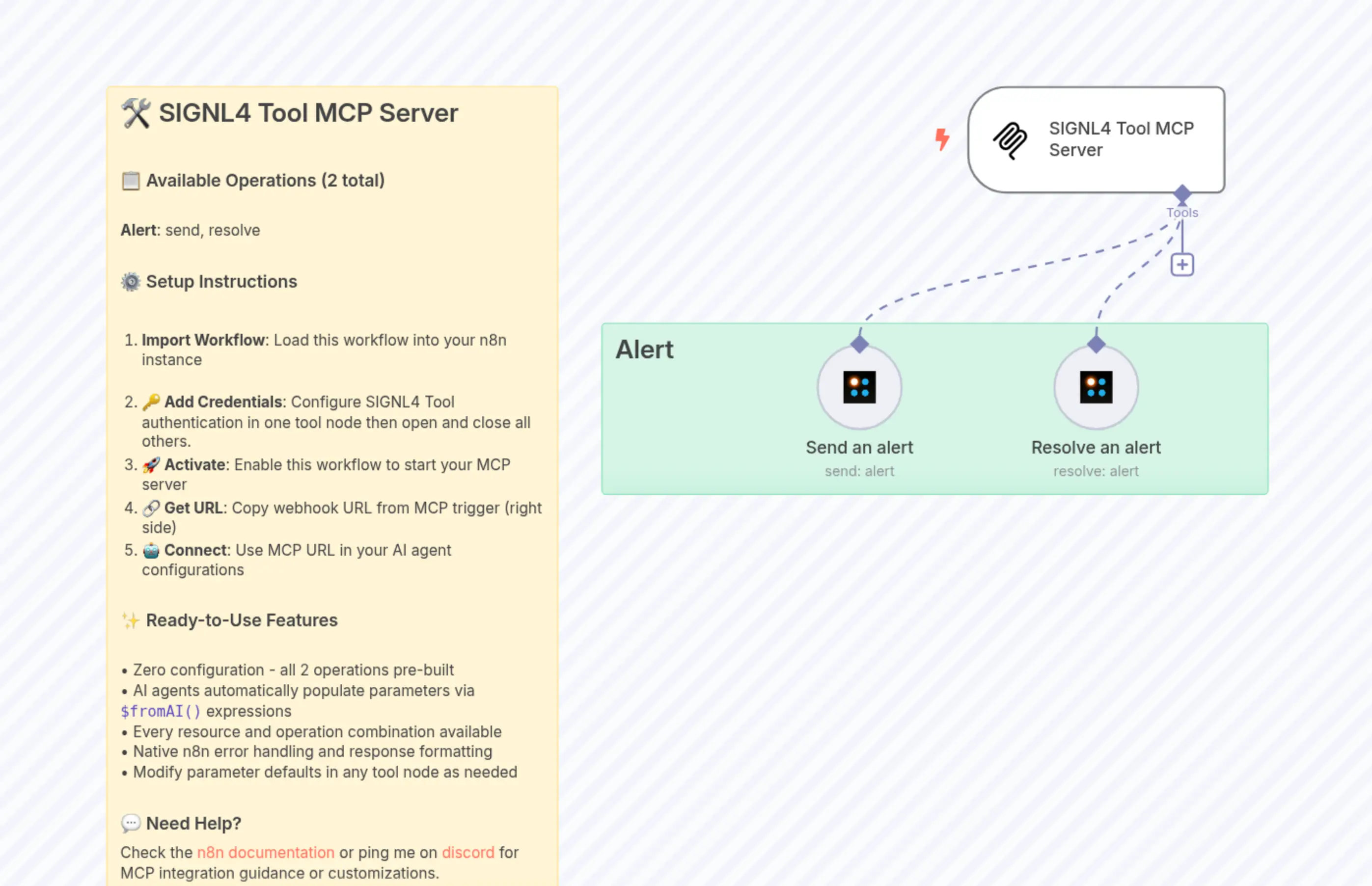
🛠️ SIGNL4 Tool MCP Server with both operations
Description
Categories
🤖 AI & Machine Learning
Nodes Used
n8n-nodes-base.signl4Tooln8n-nodes-base.signl4Tooln8n-nodes-base.stickyNoten8n-nodes-base.stickyNote@n8n/n8n-nodes-langchain.mcpTrigger
PriceGratis
Views0
Last Updated11/28/2025
workflow.json
{
  "meta": {
    "instanceId": "cd59eaaeb7b34d06e24511380db94cdb7fbce6037cc4de22e539c5158ab9cdfc"
  },
  "nodes": [
    {
      "id": "0a6916e5-4293-47d5-a996-f4b3a5f2ea1f",
      "name": "Workflow Overview 0",
      "type": "n8n-nodes-base.stickyNote",
      "position": [
        -1460,
        -100
      ],
      "parameters": {
        "width": 420,
        "height": 760,
        "content": "## 🛠️ SIGNL4 Tool MCP Server\n\n### 📋 Available Operations (2 total)\n\n**Alert**: send, resolve\n\n### ⚙️ Setup Instructions\n\n1. **Import Workflow**: Load this workflow into your n8n instance\n\n1. **🔑 Add Credentials**: Configure SIGNL4 Tool authentication in one tool node then open and close all others.\n2. **🚀 Activate**: Enable this workflow to start your MCP server\n3. **🔗 Get URL**: Copy webhook URL from MCP trigger (right side)\n4. **🤖 Connect**: Use MCP URL in your AI agent configurations\n\n### ✨ Ready-to-Use Features\n\n• Zero configuration - all 2 operations pre-built\n• AI agents automatically populate parameters via `$fromAI()` expressions\n• Every resource and operation combination available\n• Native n8n error handling and response formatting\n• Modify parameter defaults in any tool node as needed\n\n### 💬 Need Help?\nCheck the [n8n documentation](https://docs.n8n.io/integrations/builtin/cluster-nodes/sub-nodes/n8n-nodes-langchain.toolmcp/) or ping me on [discord](https://discord.me/cfomodz) for MCP integration guidance or customizations."
      },
      "typeVersion": 1
    },
    {
      "id": "8f36fb71-e173-4607-b3c7-1f472a868e61",
      "name": "SIGNL4 Tool MCP Server",
      "type": "@n8n/n8n-nodes-langchain.mcpTrigger",
      "position": [
        -660,
        -100
      ],
      "webhookId": "9cf32d30-2ff7-426e-af81-d071d84cb818",
      "parameters": {
        "path": "signl4-tool-mcp"
      },
      "typeVersion": 1
    },
    {
      "id": "fa6c9594-0216-4746-a2a2-28559d8bc29c",
      "name": "Send an alert",
      "type": "n8n-nodes-base.signl4Tool",
      "position": [
        -800,
        140
      ],
      "parameters": {
        "message": "={{ $fromAI('Message', ``, 'string') }}",
        "additionalFields": {}
      },
      "credentials": {},
      "typeVersion": 1
    },
    {
      "id": "fbffa327-6892-4974-b097-4eb9721da624",
      "name": "Resolve an alert",
      "type": "n8n-nodes-base.signl4Tool",
      "position": [
        -580,
        140
      ],
      "parameters": {
        "operation": "resolve",
        "externalId": "={{ $fromAI('External_Id', ``, 'string') }}"
      },
      "credentials": {},
      "typeVersion": 1
    },
    {
      "id": "b00b2eeb-7331-4ffa-8304-3f5e6b176313",
      "name": "Sticky Note 1",
      "type": "n8n-nodes-base.stickyNote",
      "position": [
        -1000,
        120
      ],
      "parameters": {
        "color": 4,
        "width": 620,
        "content": "## Alert"
      },
      "typeVersion": 1
    }
  ],
  "pinData": {},
  "connections": {
    "Send an alert": {
      "ai_tool": [
        [
          {
            "node": "SIGNL4 Tool MCP Server",
            "type": "ai_tool",
            "index": 0
          }
        ]
      ]
    },
    "Resolve an alert": {
      "ai_tool": [
        [
          {
            "node": "SIGNL4 Tool MCP Server",
            "type": "ai_tool",
            "index": 0
          }
        ]
      ]
    }
  }
}