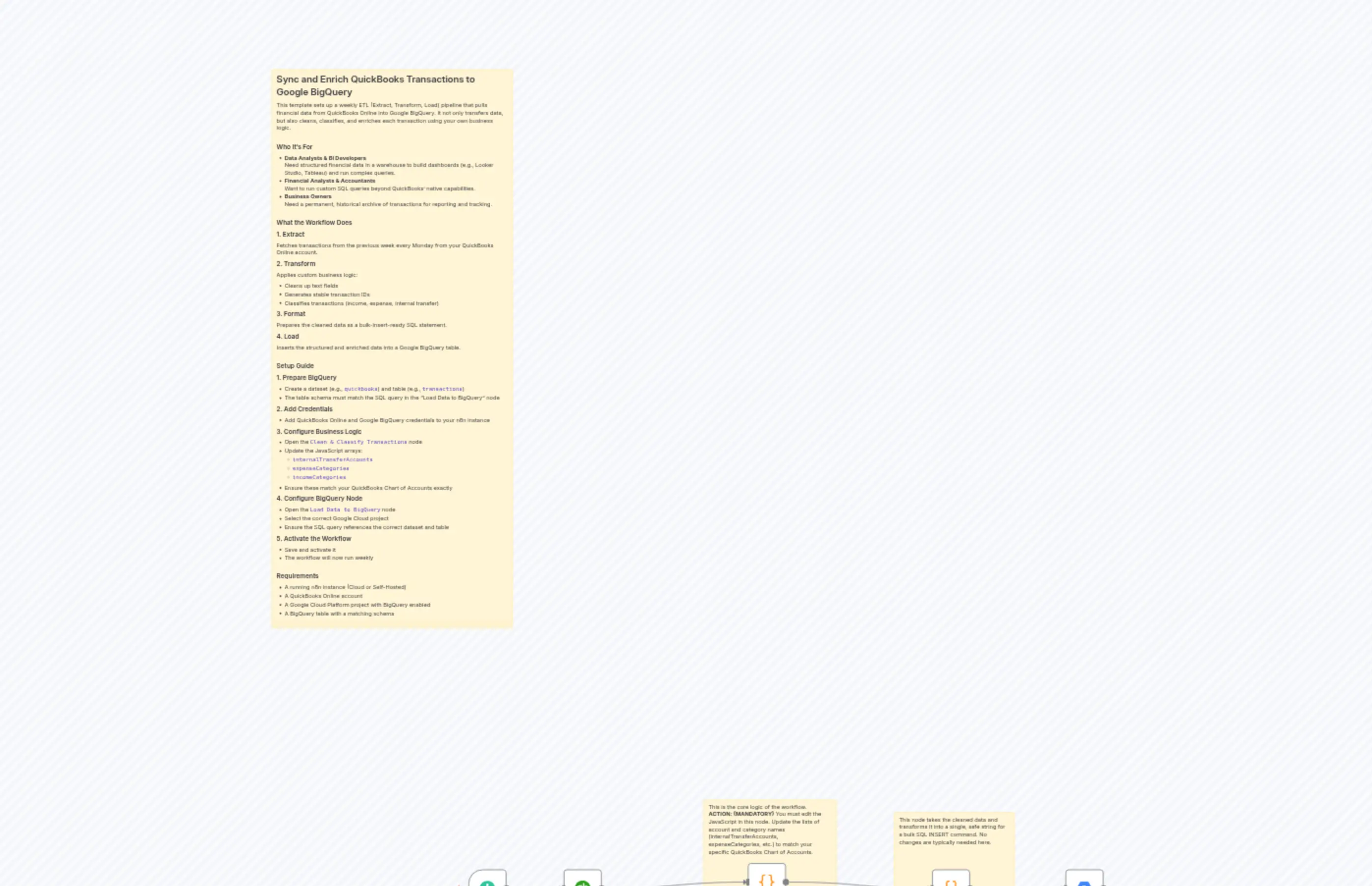
Weekly ETL Pipeline: QuickBooks Financial Data to Google BigQuery
Description
Categories
🔧 Engineering
Nodes Used
n8n-nodes-base.coden8n-nodes-base.coden8n-nodes-base.quickbooksn8n-nodes-base.stickyNoten8n-nodes-base.stickyNoten8n-nodes-base.stickyNoten8n-nodes-base.googleBigQueryn8n-nodes-base.scheduleTrigger
PriceKostenlos
Views0
Last Updated11/28/2025
workflow.json
{
  "meta": {
    "instanceId": "689fa22e68cd4198e4ae37f3cc44f498087edd235a867e22515be823bab694c7",
    "templateCredsSetupCompleted": true
  },
  "nodes": [
    {
      "id": "92c34609-88d8-4891-9717-ee0f5bb57626",
      "name": "Start: Weekly on Monday",
      "type": "n8n-nodes-base.scheduleTrigger",
      "position": [
        -1424,
        176
      ],
      "parameters": {
        "rule": {
          "interval": [
            {
              "field": "weeks",
              "triggerAtDay": [
                1
              ]
            }
          ]
        }
      },
      "typeVersion": 1.2
    },
    {
      "id": "14e349dc-51e6-4d5d-a059-2005d12ed85a",
      "name": "1. Get Last Week's Transactions",
      "type": "n8n-nodes-base.quickbooks",
      "position": [
        -1184,
        176
      ],
      "parameters": {
        "simple": false,
        "filters": {
          "date_macro": "Last Week"
        },
        "resource": "transaction"
      },
      "credentials": {
        "quickBooksOAuth2Api": {
          "id": "A1qrozAz8b5xfsad",
          "name": "QuickBooks Online Test"
        }
      },
      "typeVersion": 1
    },
    {
      "id": "6731e22e-aec2-420b-8bd2-cd8b13a7954f",
      "name": "2. Clean & Classify Transactions",
      "type": "n8n-nodes-base.code",
      "position": [
        -720,
        160
      ],
      "parameters": {
        "jsCode": "// UUID generator from seed\nconst generateUuidFromSeed = (seed) => {\n  const base = seed + Math.random().toString(16);\n  const hash = Array.from(base).reduce((hash, char) => {\n    return ((hash << 5) - hash) + char.charCodeAt(0);\n  }, 0);\n  const hex = (hash >>> 0).toString(16).padStart(8, '0');\n  return (\n    hex.slice(0, 8) + '-' +\n    hex.slice(0, 4) + '-' +\n    '4' + hex.slice(4, 3) + '-' +\n    ((parseInt(hex[0], 16) & 0x3) | 0x8).toString(16) + hex.slice(1, 3) + '-' +\n    hex.padEnd(12, '0')\n  );\n};\n\n// Known transaction type classifications\nconst expenseTypes = new Set([\n  'Expense', 'Bill', 'Check', 'Credit Card Charge', 'Purchase', 'Vendor Credit', 'Bank Fee',\n]);\n\nconst incomeTypes = new Set([\n  'Invoice', 'Payment', 'Deposit', 'Sales Receipt', 'Credit Memo', 'Refund',\n]);\n\nconst internalTransferAccounts = new Set([\n  //FILL HERE\n]);\n\nconst expenseCategories = new Set([\n  //FILL HERE\n]);\n\nconst incomeCategories = new Set([\n  //FILL HERE\n]);\n\nconst output = [];\n\nfor (const item of $input.all()) {\n  const report = item.json;\n  const weekStartDate = report.Header?.StartPeriod || null;\n  const currency = report.Header?.Currency || null;\n\n  if (report.Rows && report.Rows.Row) {\n    for (const row of report.Rows.Row) {\n      if (row.type && row.type !== 'Data') continue;\n\n      const cols = row.ColData;\n      if (!cols || cols.length < 9) continue;\n\n      const txnType = cols[1]?.value || '';\n      const splitAccount = cols[7]?.value || null;\n\n      let amountRaw = cols[8]?.value || '0';\n      let amountNum = parseFloat(amountRaw);\n      if (isNaN(amountNum)) amountNum = 0;\n\n      const seed = [\n        cols[0]?.value || '',\n        txnType,\n        cols[4]?.value || '',\n        amountNum.toString()\n      ].join('|');\n\n      // Default classifications\n      let isExpense = false;\n      let isIncome = false;\n\n      // Priority: category-based override\n      if (expenseCategories.has(splitAccount)) {\n        isExpense = true;\n        isIncome = false;\n      } else if (incomeCategories.has(splitAccount)) {\n        isIncome = true;\n        isExpense = false;\n      } else if (txnType === \"Transfer\") {\n        if (internalTransferAccounts.has(splitAccount)) {\n          isExpense = false;\n          isIncome = false;\n        } else {\n          isExpense = amountNum < 0;\n          isIncome = amountNum > 0;\n        }\n      } else {\n        isExpense = amountNum < 0 || expenseTypes.has(txnType);\n        isIncome = incomeTypes.has(txnType) && !isExpense;\n      }\n\n      const amount = Math.abs(amountNum);\n      const amountSigned = isExpense ? -amount : amount;\n\n      let amount_usd = 0;\n      let amount_cad = 0;\n      if (currency === 'CAD') {\n        amount_cad = amount;\n      } else if (currency === 'USD') {\n        amount_usd = amount;\n      }\n\n      const record = {\n        id: generateUuidFromSeed(seed),\n        txn_date: cols[0]?.value || null,\n        txn_type: txnType,\n        doc_num: cols[2]?.value || null,\n        is_posted: cols[3]?.value === \"Yes\",\n        name: cols[4]?.value || null,\n        memo: cols[5]?.value || null,\n        account_name: cols[6]?.value || null,\n        account_id: cols[6]?.id || null,\n        category: splitAccount,\n        category_id: cols[7]?.id || null,\n        signed_amount: amountSigned,\n        is_expense: isExpense,\n        is_income: isIncome,\n        amount_usd: amount_usd,\n        amount_cad: amount_cad,\n        currency: currency,\n        week_start_date: weekStartDate,\n        source_id: cols[1]?.id || ''\n      };\n\n      output.push({ json: record });\n    }\n  }\n}\n\nreturn output;"
      },
      "typeVersion": 2
    },
    {
      "id": "a19aaed6-185f-4380-bc48-debb46976e16",
      "name": "3. Format Data for SQL",
      "type": "n8n-nodes-base.code",
      "position": [
        -256,
        176
      ],
      "parameters": {
        "jsCode": "const formatValue = (val) => {\n  if (val === null || val === undefined) return 'NULL';\n  if (typeof val === 'number') return val;\n  if (typeof val === 'boolean') return val ? 'TRUE' : 'FALSE';\n\n  if (typeof val === 'string') {\n    const clean = val\n      .replace(/[\\u2018\\u2019\\u201A\\u201B\\u2032\\u2035]/g, '')    // remove smart single quotes\n      .replace(/[\\u201C\\u201D\\u201E\\u201F\\u2033\\u2036]/g, '\"')   // smart double quotes → \"\n      .normalize('NFKC')                                        // normalize accents/compatibility\n      .replace(/[^\\x00-\\x7F]/g, '')                             // strip non-ASCII\n      .replace(/\\?/g, '')                                      // remove question marks\n      .replace(/'/g, '')                                       // remove apostrophes\n      .replace(/\\n/g, ' ')                                     // replace line breaks with space\n      .replace(/\\r/g, '')                                      // remove carriage returns\n      .replace(/\\t/g, ' ')                                     // replace tabs with space\n      .replace(/\\\\/g, '');                                     // remove literal backslashes\n    return `'${clean}'`;\n  }\n\n  // Catch-all stringify fallback\n  return `'${JSON.stringify(val).replace(/'/g, '')}'`;\n};\n\n\nconst formatDate = (val) => {\n  if (!val) return 'NULL';\n  return `DATE '${val}'`;\n};\n\nconst rows = $input.all().map(item => {\n  const d = item.json;\n\n  return `(\n    ${formatValue(d.id)},\n    ${formatValue(d.source_id)},\n    ${formatDate(d.txn_date || d.date)},\n    ${formatValue(d.txn_type || d.type)},\n    ${formatValue(d.doc_num)},\n    ${formatValue(d.is_posted)},\n    ${formatValue(d.name)},\n    ${formatValue(d.memo)},\n    ${formatValue(d.account_name)},\n    ${formatValue(d.category)},\n    ${d.amount_usd ?? 'NULL'},\n    ${formatValue(d.is_expense)},\n    ${formatValue(d.is_income)},\n    ${formatDate(d.week_start_date)},\n    ${d.amount_cad ?? 'NULL'},\n    ${formatValue(d.account_id)},\n    ${formatValue(d.category_id)},\n    ${d.signed_amount ?? 'NULL'},\n    ${formatValue(d.currency)}\n  )`;\n});\n\nreturn [\n  {\n    json: {\n      valuesString: rows.join(',\\n')\n    }\n  }\n];\n"
      },
      "typeVersion": 2
    },
    {
      "id": "4405def8-7618-4d5f-8789-db975a5c169b",
      "name": "4. Load Data to BigQuery",
      "type": "n8n-nodes-base.googleBigQuery",
      "position": [
        80,
        176
      ],
      "parameters": {
        "options": {},
        "sqlQuery": "INSERT INTO `quickbooks.transactions`\n(\n  id,\n  source_id,\n  date,\n  type,\n  doc_num,\n  is_posted,\n  name,\n  memo,\n  account_name,\n  category,\n  amount_usd,\n  is_expense,\n  is_income,\n  week_start_date,\n  amount_cad,\n  account_id,\n  category_id,\n  signed_amount,\n  currency\n)\nVALUES\n{{ $json.valuesString }};\n",
        "projectId": {
          "__rl": true,
          "mode": "list",
          "value": "n8n-self-host-461314",
          "cachedResultUrl": "https://console.cloud.google.com/bigquery?project=n8n-self-host-461314",
          "cachedResultName": "n8n-self-host"
        }
      },
      "credentials": {
        "googleBigQueryOAuth2Api": {
          "id": "lW59SbDcjoy07IvX",
          "name": "Google BigQuery Test"
        }
      },
      "typeVersion": 2.1,
      "alwaysOutputData": true
    },
    {
      "id": "6989fb08-d02d-4519-a67a-8cf55b633b58",
      "name": "Sticky Note",
      "type": "n8n-nodes-base.stickyNote",
      "position": [
        -1920,
        -1840
      ],
      "parameters": {
        "width": 608,
        "height": 1408,
        "content": "## Sync and Enrich QuickBooks Transactions to Google BigQuery\nThis template sets up a weekly ETL (Extract, Transform, Load) pipeline that pulls financial data from QuickBooks Online into Google BigQuery. It not only transfers data, but also cleans, classifies, and enriches each transaction using your own business logic.\n\n### Who It's For\n- **Data Analysts & BI Developers**  \n  Need structured financial data in a warehouse to build dashboards (e.g., Looker Studio, Tableau) and run complex queries.\n- **Financial Analysts & Accountants**  \n  Want to run custom SQL queries beyond QuickBooks’ native capabilities.\n- **Business Owners**  \n  Need a permanent, historical archive of transactions for reporting and tracking.\n\n### What the Workflow Does\n#### 1. Extract  \nFetches transactions from the previous week every Monday from your QuickBooks Online account.\n#### 2. Transform  \nApplies custom business logic:\n- Cleans up text fields  \n- Generates stable transaction IDs  \n- Classifies transactions (income, expense, internal transfer)\n#### 3. Format  \nPrepares the cleaned data as a bulk-insert-ready SQL statement.\n#### 4. Load  \nInserts the structured and enriched data into a Google BigQuery table.\n\n### Setup Guide\n#### 1. Prepare BigQuery\n- Create a dataset (e.g., `quickbooks`) and table (e.g., `transactions`)\n- The table schema must match the SQL query in the \"Load Data to BigQuery\" node\n#### 2. Add Credentials\n- Add QuickBooks Online and Google BigQuery credentials to your n8n instance\n#### 3. Configure Business Logic\n- Open the `Clean & Classify Transactions` node\n- Update the JavaScript arrays:\n  - `internalTransferAccounts`\n  - `expenseCategories`\n  - `incomeCategories`\n- Ensure these match your QuickBooks Chart of Accounts exactly\n#### 4. Configure BigQuery Node\n- Open the `Load Data to BigQuery` node\n- Select the correct Google Cloud project\n- Ensure the SQL query references the correct dataset and table\n#### 5. Activate the Workflow\n- Save and activate it  \n- The workflow will now run weekly\n\n### Requirements\n- A running n8n instance (Cloud or Self-Hosted)  \n- A QuickBooks Online account  \n- A Google Cloud Platform project with BigQuery enabled  \n- A BigQuery table with a matching schema\n\n### Customization Options\n- **Change Schedule**: Modify the schedule node to run daily, monthly, or at a different time  \n- **Adjust Date Range**: Change the date macro in the `Get Last Week's Transactions` node  \n- **Refine Classification Rules**: Add custom logic in the `Clean & Classify Transactions` node to handle specific edge cases\n"
      },
      "typeVersion": 1
    },
    {
      "id": "8238ff82-91db-4c13-8add-a555a8d24897",
      "name": "Sticky Note3",
      "type": "n8n-nodes-base.stickyNote",
      "position": [
        -832,
        0
      ],
      "parameters": {
        "width": 336,
        "height": 304,
        "content": "This is the core logic of the workflow.\n**ACTION: (MANDATORY)** You must edit the JavaScript in this node. Update the lists of account and category names (internalTransferAccounts, expenseCategories, etc.) to match your specific QuickBooks Chart of Accounts."
      },
      "typeVersion": 1
    },
    {
      "id": "d8b8a131-b3ff-4eb8-a79d-631caf718142",
      "name": "Sticky Note4",
      "type": "n8n-nodes-base.stickyNote",
      "position": [
        -352,
        32
      ],
      "parameters": {
        "width": 304,
        "height": 272,
        "content": "This node takes the cleaned data and transforms it into a single, safe string for a bulk SQL INSERT command. No changes are typically needed here."
      },
      "typeVersion": 1
    }
  ],
  "pinData": {},
  "connections": {
    "3. Format Data for SQL": {
      "main": [
        [
          {
            "node": "4. Load Data to BigQuery",
            "type": "main",
            "index": 0
          }
        ]
      ]
    },
    "Start: Weekly on Monday": {
      "main": [
        [
          {
            "node": "1. Get Last Week's Transactions",
            "type": "main",
            "index": 0
          }
        ]
      ]
    },
    "4. Load Data to BigQuery": {
      "main": [
        []
      ]
    },
    "1. Get Last Week's Transactions": {
      "main": [
        [
          {
            "node": "2. Clean & Classify Transactions",
            "type": "main",
            "index": 0
          }
        ]
      ]
    },
    "2. Clean & Classify Transactions": {
      "main": [
        [
          {
            "node": "3. Format Data for SQL",
            "type": "main",
            "index": 0
          }
        ]
      ]
    }
  }
}